
Fitness Tracker Heart Rate: How Wrist Sensors Measure and Where They Slip
A wrist tracker reads your pulse with green light shining into the skin. Here is how that works, why readings drift, and how to wear it for steadier numbers.
The Calvedon Team
October 14, 2026 · 8 min read

Fitness tracker heart rate readings come from an optical sensor on the back of the device. It shines light into the skin of your wrist and measures how much light returns as blood volume changes with each beat. The result is an estimate that can hold steady at steady effort and can slip during fast movement, a loose fit or cold skin.
This guide explains what the sensor does, what throws it off, how calorie numbers are built, which features matter besides the pulse, and how to wear a wearable so the data stays consistent from day to day.
How a wrist sensor reads your pulse
The technique is called photoplethysmography, or PPG. Small LEDs, usually green, flash against the skin many times per second. A photodiode next to them records the reflected light. This is what people mean by an optical heart rate sensor.
Blood absorbs green light. Each time your heart pushes blood through the vessels under the sensor, the amount of reflected light dips slightly. The tracker counts those dips, filters out noise, and turns the pattern into beats per minute. Continuous heart rate monitoring is simply this process repeated through the day.
Why the wrist is a hard place to measure
The sensor sits on a part of the body that moves constantly. Arm swing, gripping a handlebar or a dumbbell, and tendon movement all change the light path. Software uses data from a built-in accelerometer to subtract some of that noise, but it cannot remove all of it.
Optical versus chest strap
A chest strap reads the electrical signal of the heart through the skin, which does not depend on light or blood flow at the wrist. That is why many runners and cyclists who want close interval data add a strap or an arm band. A heart rate fitness tracker worn on the wrist is easy to wear through the day and suits general trends.
| Type | How it senses | Where it fits |
|---|---|---|
| Wrist optical sensor | Green light reflected from skin at the wrist | Wear through the day, steady workouts, trends |
| Chest strap | Electrical signal picked up across the chest | Intervals, hills, cold weather, structured training |
| Arm band | Optical sensor worn on the forearm or upper arm | Lifting, rowing, tattoo-covered wrists |
| Motion-only tracker | Accelerometer reads wrist movement | Steps, distance and calorie estimates without a pulse |
What makes fitness tracker heart rate readings slip
Most errors trace back to one of a few causes. Knowing them helps you decide whether a number deserves a second look.
| Factor | What happens | What to try |
|---|---|---|
| Loose band | The sensor bounces and outside light leaks in | Snug the band for workouts |
| Fast, irregular motion | Arm movement can be mistaken for pulse | Check the number during a pause, or use a strap |
| Cold skin | Less blood near the surface gives a weaker signal | Warm up hands and wrists first |
| Tattoos or dark ink | Ink absorbs or scatters the light | Move the device to the other wrist or higher on the forearm |
| Sweat or moisture | A film under the sensor shifts contact | Wipe the wrist and the sensor window |
| Gripping | Tendons tighten and change the light path | Expect noisier data in lifting and rowing |
Sudden jumps that do not match how you feel are a classic sign of motion noise. A reading that sits at a similar level to your cadence, for example during running, can also be the sensor locking on to your steps instead of your pulse.
Fit tips for steadier data
Position and pressure matter as much as any setting. Use this checklist before a workout.
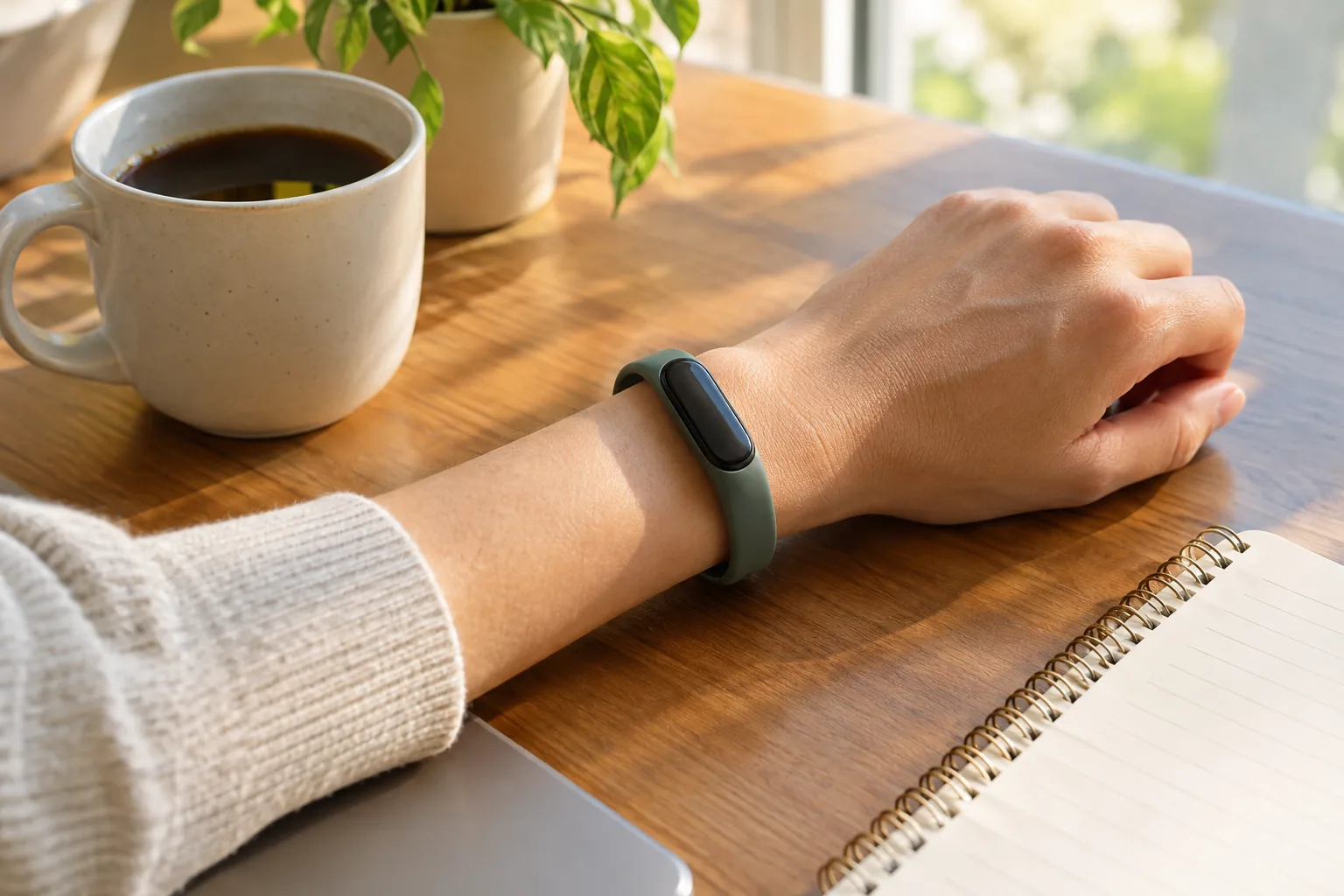
- Place it above the wrist bone, about a finger width up from the bone rather than on it.
- Make it snug, not tight. It should not slide when you shake your arm, but it should not leave deep marks or feel uncomfortable.
- Keep the back flat on the skin. Rotate the device so the sensor window does not tilt away from the wrist.
- Clean the sensor window with a soft, slightly damp cloth, following the care steps in the manual, and let it dry.
- Loosen it afterward. Wear it a bit looser at rest so skin can breathe, then tighten again for exercise.
- Pick one wrist and stay with it. Consistency keeps day-to-day comparisons meaningful.
Strap material matters too. A soft, flexible band that stays put is easier to wear snugly than a stiff one, and a band that is the wrong length will fight you every workout.
Field note
If a reading looks off mid-workout, pause your arm movement briefly and look again. If it still disagrees with how hard you feel you are working, go by your effort and check the fit.
Understanding your workout heart rate
A workout heart rate is the number of beats per minute while you exercise. It rises as effort rises, and it differs from person to person based on age, fitness, sleep, caffeine, heat and stress. A friend's number is not a target for yours.
Many trackers divide effort into zones, from easy through hard, based on a maximum heart rate. That maximum is often an age-based estimate rather than a measured value, so use the zones as rough guides. Pair them with how you feel: if you can speak in full sentences, the effort is easy to moderate.
Resting heart rate
Resting heart rate is your pulse while you are calm and still. Trackers often log it when you are seated or asleep. Look at the trend over weeks rather than a single morning, since caffeine, a late meal or a poor night can move one reading.
If you have a heart condition, take medication that affects heart rate, or notice an irregular or racing pulse, ask a healthcare provider what to watch for. A wrist sensor is a fitness tool and is not meant for checking a heart condition.
Choosing a heart rate monitor for running
For steady runs, fitness tracker heart rate from a snug wrist sensor is usually enough for trend tracking. For intervals, hills and cold weather, many runners prefer a chest strap or arm band that pairs with the watch. Decide based on how much you care about second-by-second data in your training.
Whichever you choose, start each run with the sensor in place and the fit checked, since adjusting mid-run is harder than doing it at the door.
How calories burned are estimated
No wrist device counts calories directly. When you read the calorie total on a fitness tracker, you are looking at a calculation. It starts with a resting estimate based on the profile details you enter, such as age, height, weight and sex, then adds activity based on movement, and in some models heart rate. The figure for calories burned is therefore an estimate.
That means a few things:
- Wrong profile details produce a wrong baseline, so keep your weight and height current.
- Movement-only devices guess effort from motion, so cycling, rowing and carrying loads can be under- or over-counted.
- Heart-rate-based estimates depend on a clean pulse signal, so every fit problem above carries into the calorie figure.
- Different makers use different formulas, so totals will not match between devices.
The practical use is comparison with yourself. If you wear the same device the same way, week-to-week changes are easier to read than a single day's total. Do not use the number as an exact budget for eating.
Features that matter besides the pulse
A pulse sensor is one line on a long spec sheet. Before you choose a device for fitness tracking, look at the rest of the metrics and hardware.
- Form factor: a band or screenless tracker is light and simple; a smartwatch adds a larger display and more apps.
- Built-in GPS: useful if you want route and distance data without carrying a phone. Without it, distance is usually estimated from movement.
- Battery life and charging: check the maker's listed charging method and how often you are willing to plug in.
- Water resistance: read the manual for what the housing allows, such as hand washing or rain, and what to avoid.
- Sleep tracking: convenient for logging routines, but it still relies on the same wrist sensor and a comfortable overnight fit.
- App and account needs: some watches depend on a phone app; others work on the device alone.
Our broader guide, How to Choose a Good Fitness Tracker, goes deeper on features, fit and budget.
When you want steps and calories without a pulse sensor
Not everyone needs optical sensing. If your goal is to see daily movement and keep a simple activity habit, a motion-based activity tracker is a more basic option, and it avoids the fit questions that come with a light sensor.
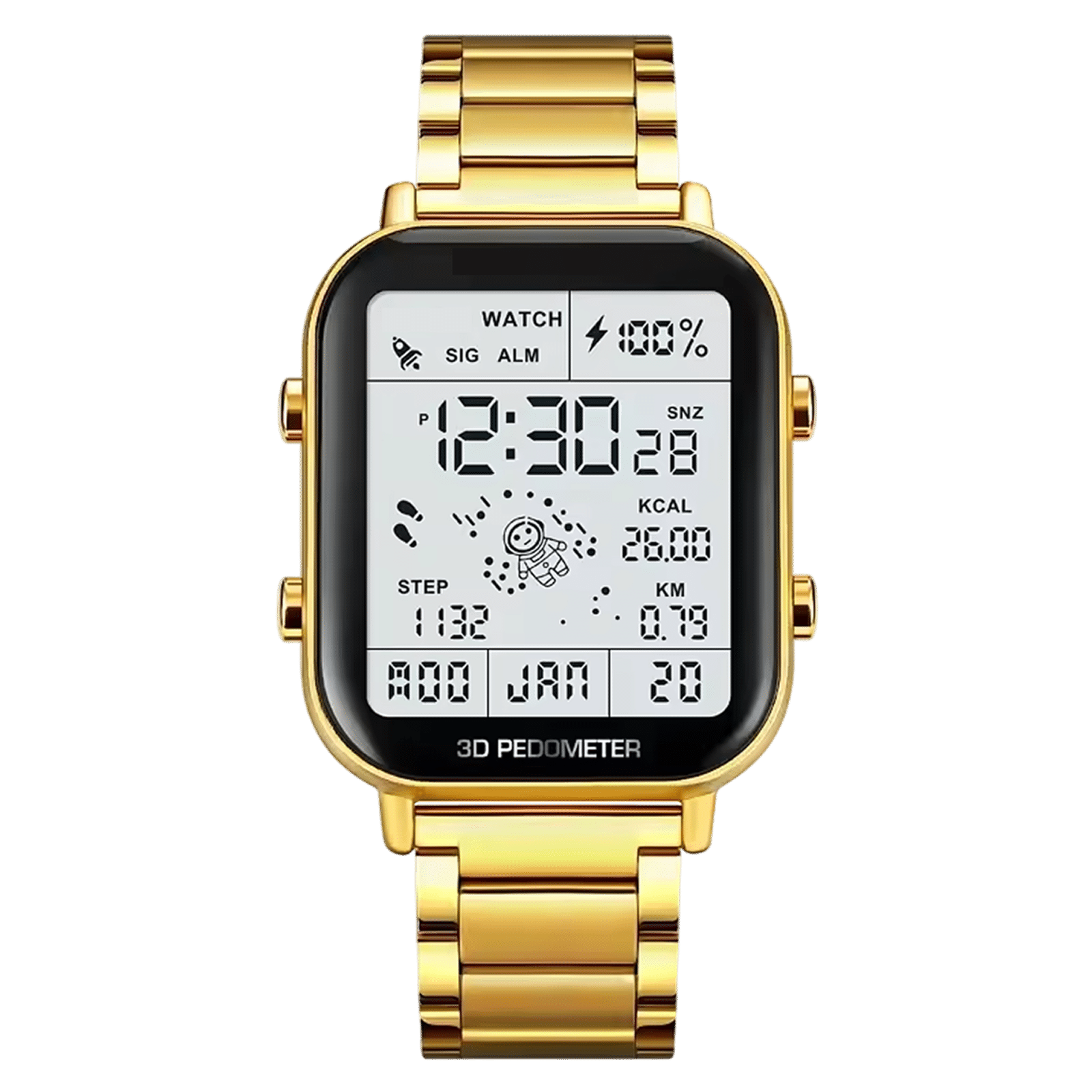
MotionPulse is built this way. It lists a multi-axis accelerometer as its sensor, which reads wrist movement; heart rate is not among its listed features. The tracker records steps, calories and distance, and you can check your activity on the display with no phone required. Setup happens on the device, with no app or account, and there is no subscription.
The housing is zinc alloy with stainless steel accents, and the display has an EL backlight. It is water resistant for hand washing and rain, though you should keep it out of hot tubs and away from power washers. The box includes the tracker, packaging and a quick start manual.
It is a fit if you want a fitness tracker for calories burned figures based on wrist movement. If you need a fitness tracker for heart rate, look for a device with an optical sensor, or browse the Fitness & Vital Sign Trackers collection.
 In this guideMotionPulse$88.99View
Choosing a tracker: a short decision path
- Decide what you need: pulse during exercise, daily steps, or both.
- Check the data type. An optical sensor gives fitness tracker heart rate; an accelerometer gives steps and movement.
- Consider the workout. Steady cardio suits a wrist sensor; intervals and lifting often call for a strap.
- Look at how it works with your phone, since some need an app and account and some do not.
- Check the fit. Band width, material and size should let you wear it snugly without discomfort.
If you already own a device and are unsure what it measures, open the specifications in its manual and look for the words optical sensor or heart rate sensor. If they are absent, it is a motion-only tracker.
Common mistakes
- Wearing the band loose and blaming the sensor.
- Comparing totals across different devices.
- Reading a single spike as meaningful.
- Entering outdated weight or height and trusting the calorie total.
- Using a wrist number to judge a health concern instead of asking a healthcare provider.
Frequently asked questions
Keep reading
 Fitness & Vital Sign TrackersHow to Choose a Good Fitness Tracker: Features, Fit and Budget9 min read
 Fitness & Vital Sign TrackersHow Do Body Composition Scales Work? Bioimpedance Explained8 min read
 Dryers, Irons & Light-Based Hair DevicesHow to Use a Beard Straightener Without Frying Your Beard7 min read