
How to Choose a Good Fitness Tracker: Features, Fit and Budget
A good fitness tracker matches how you actually move: the right display, a band that fits, a charging routine you will keep, and no surprise subscription. Use this checklist to decide.
The Calvedon Team
October 14, 2026 · 9 min read
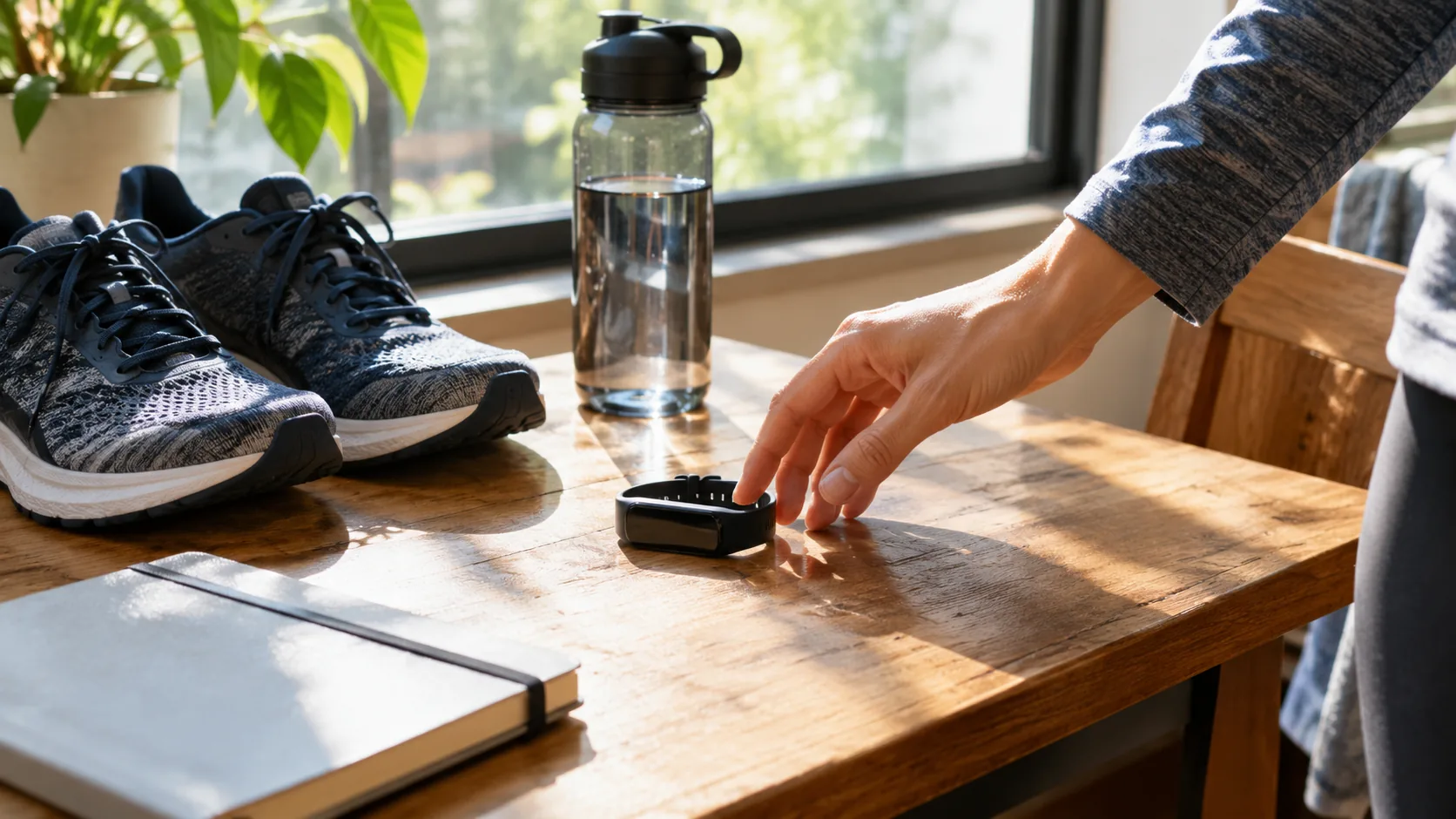
A good fitness tracker is one you will wear every day, can read at a glance, and can keep running without extra fees. Start with your use case (steps, workouts, or a full health dashboard), then check five things: display, sensors, battery routine, subscription terms and band fit.
This guide skips brand rankings and gives you a checklist by use case and budget, so you can compare any wearable on the shelf, including simple wrist trackers that work without a phone.
What makes a good fitness tracker: start with your goal
Trackers differ less in the basics than in the extras. Nearly all count steps. The differences show up in what else they record, how they show it, and what you must do to see it.
Write down your top two goals before you shop. That keeps you from paying for sensors you will not look at, and it makes a long spec sheet much easier to read. Whatever fitness tracker activity you care about most, whether walking, gym sessions or runs, decide it first.
Match the goal to the features
| Your goal | Features that matter | Features you can skip |
|---|---|---|
| Walk more through the day | Step count, simple display, comfortable band | Maps, music storage, payment features |
| Track activity at the gym and on runs | Workout modes, distance, heart rate sensor, readable screen in motion | Smart home controls |
| Health and fitness tracker for general routines | Heart rate, sleep logging, companion app with history | Large always-on displays if you prefer a slim band |
| Set-and-forget daily counter | On-device setup, no account, simple charging | App syncing, social feeds |
If your goal is simply to move more, a basic counter covers it. If you want trends over months, you need an app that stores history, and that is where subscription terms start to matter.
Tracker, smartwatch or band: know the category
The words overlap, so the label on the box tells you little. In practice there are three groups, and each trades features against simplicity.
- Basic activity tracker: counts steps, calories and distance, often with a small display and a short list of extras.
- Fitness band: a slim wearable with a heart rate sensor, sleep tracking and workout modes, usually paired with an app.
- Smartwatch: a larger screen with notifications, apps and sometimes built-in GPS. It does more, and it asks more of your battery and your attention.
If you mostly want activity tracking and do not want another screen competing for your attention, the first two groups are the more natural fit.

Screen or screenless: pick the display style
A display lets you check steps, calories and the time without a phone. A screenless band is slimmer and more discreet, but every number lives in an app, so you need the phone nearby and an account.
| Style | Suits you if | Tradeoff |
|---|---|---|
| Small screen | You like to check progress mid-walk | Slightly larger case |
| Color touchscreen | You want notifications and menus | More frequent charging |
| Screenless band | You want a minimalist, slim look | Needs a phone and an account for every number |
Also check that the display can be read indoors and in low light. Some simple models use an EL backlight for this. If you will not open an app daily, a screen on the device is the more practical choice.
If you are considering a screenless or minimalist band
With no display, the app is the whole product, so judge it before you buy. Open its store listing and read what it needs from you.
- App requirements: which phone systems it supports, and whether an account is mandatory before the band shows anything.
- Data access: whether you can export or delete your history, and what stays free.
- Feedback: how the band signals progress without a screen, such as a light or a vibration, and whether you can read it at a glance.
- Strap swap: whether the strap can be replaced or changed for a different size or material, since a slim band lives or dies by comfort.
A slim, screenless tracker suits people who want a quiet record of the day. It suits you less if you like checking numbers mid-walk.
Sensors and metrics: what each one is for
Spec sheets list many metrics. Decide which ones you will act on, and ignore the rest.
- Step and distance counting: driven by an accelerometer that reads wrist movement. It is the core of every tracker.
- Heart rate monitoring: an optical sensor on the underside of the case. Heart rate data is useful for pacing workouts, but fit and skin contact change the readings. Our guide to how wrist sensors measure and where they slip explains the details.
- Sleep tracking: logs when you were still and when you woke. Read it as a rough log of your routine. If you wear a band overnight, our guide on how to choose a sleep mask covers other bedtime comfort details.
- Blood oxygen and similar health features: offered on some models as estimates. Check what the maker says they are meant for, and ask a clinician about any health question.
- Built-in GPS: maps a route without a phone, but it raises the charging demand and usually the price.
Read every metric as a trend over days, not as an exact figure. A dashboard full of numbers only helps if you look at it.
Battery and charging: match the routine you will keep
Battery life is listed in many ways, so compare how a tracker is charged, not just a headline number. Check whether it uses a proprietary clip, a cable, or a replaceable cell, and whether you can charge it while you do something else, like working at a desk.
Features that draw more power, such as bright color screens, continuous heart rate and GPS, mean more frequent charging. A simpler display and fewer sensors usually mean fewer charging sessions to remember.
Battery checklist
- Find where the charging port or contacts sit, and whether the cable is included.
- Look at which features can be switched off to conserve power.
- Read the manual's charging notes before first use.
Then pick a fixed charging time, such as while you get ready in the morning, so the habit sticks.
Subscription fees and apps: read this before you buy
Some trackers show basic numbers for free but lock deeper reports, coaching or long-term history behind a monthly plan. The device price then understates the real cost of ownership. If you are searching for a tracker without a subscription, this is the section to apply.
Before checking out, answer these questions on the product page or in the manual:
- Do steps, calories and distance display on the device itself?
- Is an account required to set it up?
- Which app features need a paid plan?
- What happens to your tracking data if you stop paying?
- Can you export or delete your data?
If you want to avoid ongoing fees entirely, look for a tracker that is set up on the device and states that no subscription is involved. If you do want an app, open its store listing first and judge whether the dashboards are clear enough that you will actually use them.
Fit, comfort and durability
A tracker that feels awkward or slides around ends up in a drawer. Measure your wrist with a flexible tape or a strip of paper, then compare it to the band's size range on the product page. Good wearability matters more than one extra sensor.
What to check on the strap
- Band range: adjustable length, with holes or a clasp that suits small and large wrists alike. This matters for women's fitness tracker watches, which often come in smaller case sizes, and for anyone with a larger wrist.
- Weight and thickness: if you want the lightest fitness tracker you can find, compare listed grams and case thickness. A light fitness tracker is easier to forget on your wrist while typing.
- Material: silicone is flexible and easy to rinse, while metal housings feel solid but add heft. Check the product facts for the housing material.
- Comfort: if the strap feels uncomfortable, take it off, clean it and your wrist, and let the skin rest. Ask a clinician if it keeps bothering you.
Accuracy depends on fit, sensor placement and how the maker calculates results. Wear the band snug but not tight, and keep the sensor surface clean.
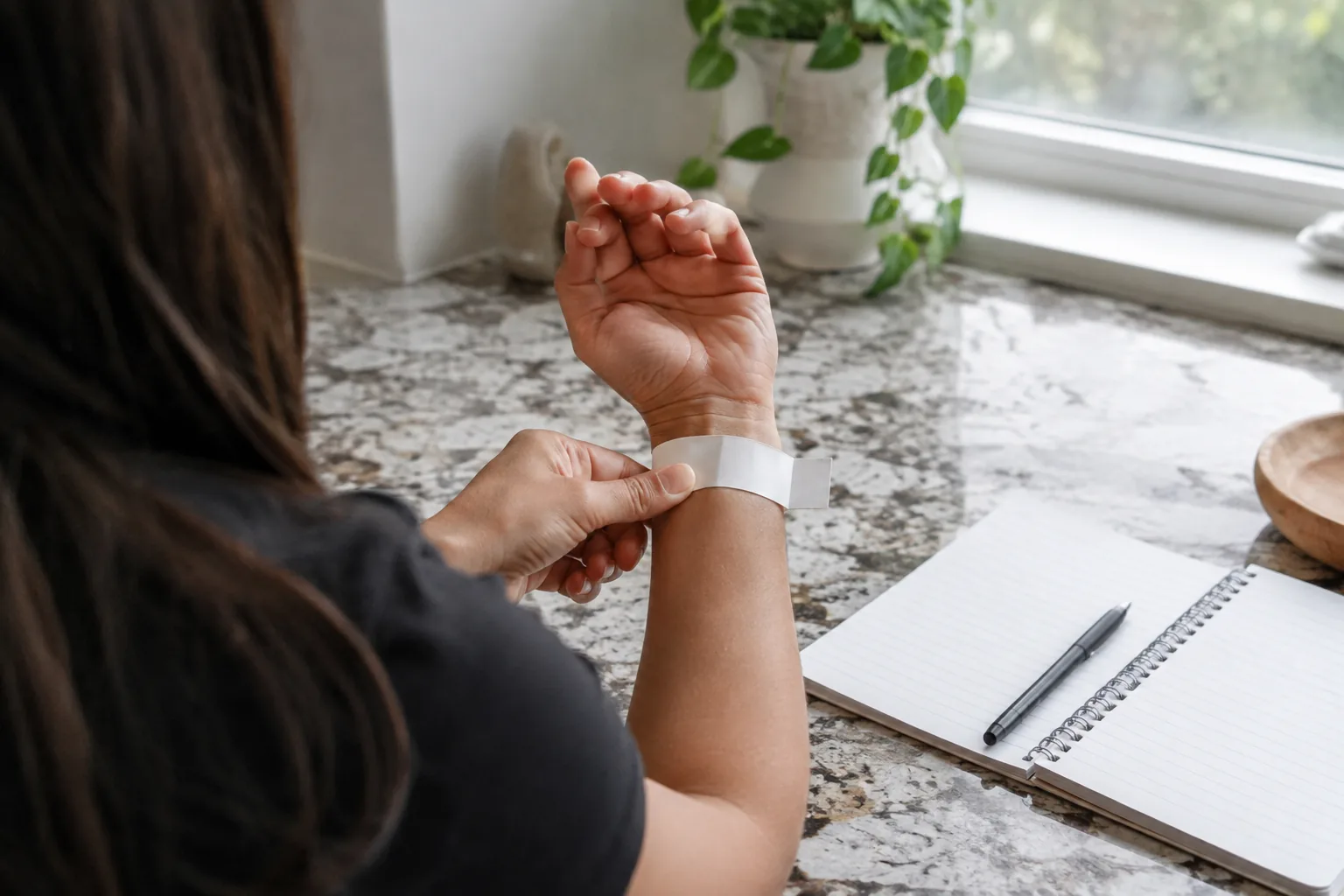
Field note
Wear a similar-weight object, like a watch or bracelet, for a day before you buy. If it bothers you at your desk, a heavier tracker will bother you more.
Water resistance and daily wear
Look at what the maker says the tracker can handle. Water resistant usually means splashes, hand washing and rain, not swimming or hot tubs. Follow the manual's limits, and keep trackers away from high-pressure and hot water.
A metal body is built for everyday wear, while a plastic case is usually lighter. Choose based on how you move through the day.
Pick by budget without chasing specs
An affordable fitness tracker should cover your two main goals and nothing you will ignore. A budget friendly fitness tracker makes sense when the core numbers show on the device and the ongoing costs are clear. A good fitness tracker does not have to carry every sensor. Use the tiers below as a guide to what to expect, not a ranking.
| Tier | Typically includes | Watch out for |
|---|---|---|
| Entry | Steps, calories, distance, clock, basic display | Few workout modes, short data history |
| Mid | Heart rate sensor, sleep logging, app syncing, more workout modes | Features gated behind a plan |
| Advanced | Built-in GPS, larger screens, deeper reports, notifications | Frequent charging, heavier case, subscriptions |
Whatever the tier, compare the same checklist: display, charging, fees and band fit. A higher tier adds sensors, but that does not mean you will use them.
A simple option for everyday step counting
If your list says steps, calories and distance with no phone and no account, a basic wrist tracker fits. MotionPulse is a wrist-worn tracker with a multi-axis accelerometer that reads wrist movement and shows steps and calories on its own display. It has an EL backlight, and the housing is zinc alloy with stainless steel accents.
Setup happens on the device, with no app download or account, and no subscription is involved. The housing is water resistant, which suits hand washing and rain, but keep it out of hot tubs and away from power washers. The box includes the tracker, packaging and a quick start manual.
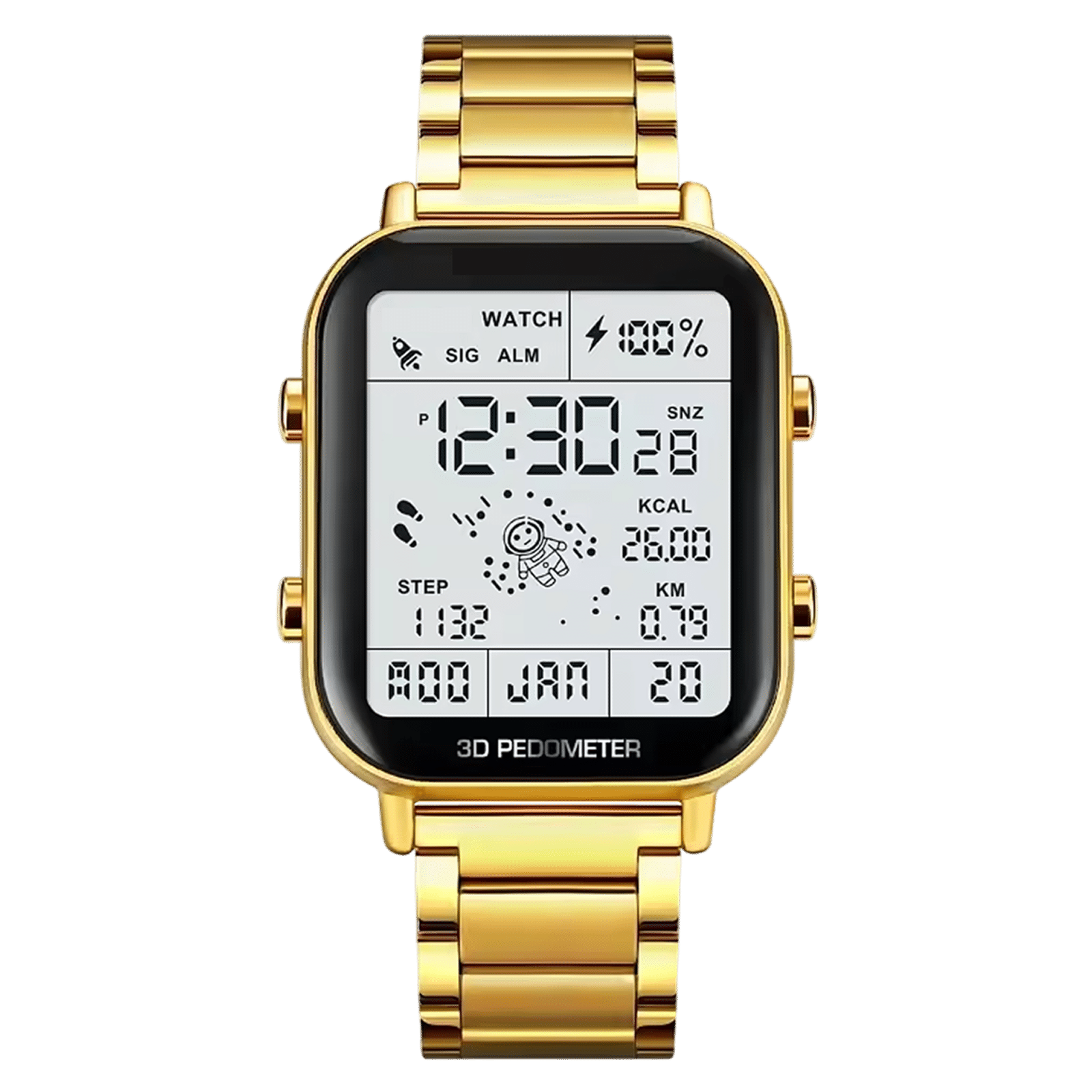 In this guideMotionPulse$88.99View
Common mistakes and a final checklist
Mistakes to avoid
- Unused features: maps and payments add cost and charging time.
- The app: if syncing is clunky, you will stop checking your data.
- Wrist size: a band that is too loose gives unreliable counts, so measure first.
- Fees: check which features need a plan.
- Precision: trackers estimate; use them for habits, not for health decisions.
Checklist before you buy
- Name your top two goals.
- Choose screen or screenless based on whether you will open an app daily.
- Decide which sensors you will actually read.
- Check how it charges and whether you will keep that routine.
- Confirm what is free and what needs a subscription.
- Measure your wrist and compare the band range and weight.
- Check water resistance limits against how you use it.
Run every candidate through this list and the right choice usually becomes obvious. You can compare more options in our Fitness & Vital Sign Trackers collection.
Frequently asked questions
Keep reading
 Fitness & Vital Sign TrackersFitness Tracker Heart Rate: How Wrist Sensors Measure and Where They Slip8 min read
 Fitness & Vital Sign TrackersHow Do Body Composition Scales Work? Bioimpedance Explained8 min read
 Dryers, Irons & Light-Based Hair DevicesHow to Use a Beard Straightener Without Frying Your Beard7 min read